Supermom
- 4.1
- Rating
- 100.00K
- Installs
- Free
- Price

 Analysis by App-foxy
Pregnancy and early parenthood create a strange information problem: there is plenty to read, but not all of it is easy to understand, relevant to the moment, or calm enough to use when you are tired. Supermom is a free parenting app from Appinion BD Limited that aims to put pregnancy guidance, baby-care information, and postnatal wellness in one place. I approached it less like a replacement for a doctor and more like a pocket reference for the questions that appear between appointments.
That distinction matters. An app in this category earns my trust by being useful without pretending to diagnose, by making its choices visible, and by letting me decide how much personal information to share. Supermom is listed for everyone and works on Android devices running version 8.0 or later. It has reached over ten thousand installs, which makes it a relatively young product rather than a long-established household name. Its current version is 1.0.6, and it was released on October 13, 2025.
How Supermom fits into real parenting routines
My first impression is that the app makes the most sense as a companion for the changing stages of family life. During pregnancy, I would use it for general preparation and reminders about the kinds of topics worth discussing at a prenatal visit. After birth, the focus naturally shifts toward baby care and the parent’s own recovery. That combination is more practical than an app that stops at pregnancy, because the questions do not stop when the baby arrives.
You May Also Like

 Blood Strike: 2.5 Anniversary
Blood Strike’s Loadouts Turn Every Drop Into a Tactical Gamble
A close look at Blood Strike’s custom loadouts: how fast access to signature weapons reshapes its battle royale rhythm, rewards preparation, and narrows the gap between fights.

 Pandora - Music & Podcasts
Pandora’s Music Is Easy to Start, but Harder to Recover
Pandora’s strength is its low-effort path from a seed to a station. Its weak spot is how much confidence it asks you to place in connection, setup, and quiet recovery.

 8 Ball Pool
 Is Built on Rivalries, Rematches, and Routine
A close look at the rivalries, rematches, shared routines, and unanswered safety questions that turn a quick pool match into a persistent mobile community.

 Samsung Music
’s Quiet Strength Is Playing What You Already Own
Its reach comes less from spectacle than from dependable access to a personal library. That simplicity is both the app’s strongest retention engine and its ceiling.

 AccuWeather: Weather Radar
AccuWeather Review: A Quick, Clear Forecast for Everyday Decisions
For everyday plans, the best forecast is the one you can understand quickly. AccuWeather makes rain timing, radar, and local conditions easy to act on, with a few trade-offs.

 Hill Climb Racing
Why Hill Climb Racing Still Turns Crashes Into One More Run
A tiny car, a bumpy hill and one more upgrade: Hill Climb Racing keeps resurfacing because its simple chaos makes every near-miss feel personal.
More From Our News Desk



A realistic use case would be a first-time parent sitting on the sofa after a long night, trying to organize several small concerns before the next appointment. Instead of searching the open web and sorting through contradictory pages, the parent can open Supermom and use its pregnancy, baby-care, or postnatal wellness material as a starting point. I would still write down anything worrying and take it to a qualified professional, but having a focused place to begin can reduce the mental effort.
The app’s strongest idea is its breadth. Pregnancy, infant care, and postnatal wellbeing are connected in real life, yet many digital tools treat them as separate products. Supermom is better suited to someone who wants one continuing reference point rather than a pregnancy tracker that becomes irrelevant after delivery. That continuity is especially useful for a household where both parents want to read the same general guidance.
At the same time, breadth can make an app feel less precise. A person looking for a highly specialized fertility tracker, a detailed feeding log, or a clinically supervised recovery program may find a dedicated alternative more appropriate. Supermom’s value is in orientation and everyday support, not in replacing a specialist tool designed around one narrow task.
What I would use it for first
I would begin by choosing one immediate need instead of trying to consume everything at once. For example, someone in late pregnancy could focus on preparation and wellbeing, while a parent with a newborn could concentrate on baby-care reading and postnatal recovery. This simple approach prevents the common problem of turning a helpful resource into another stream of information to manage.
A useful habit is to treat each article or guidance topic as a prompt for a conversation. If something sounds relevant, I would note the question, the baby’s age or the pregnancy stage, and any symptoms or circumstances that might change the answer. That makes the app more valuable during a medical appointment because it helps turn vague worry into a clear question.
I would not use a general parenting app to make urgent decisions. Severe pain, breathing difficulty, heavy bleeding, a high fever, signs of dehydration, or a baby who seems seriously unwell call for immediate professional help. Supermom can help me prepare ordinary questions, but it should not become a delay between noticing a danger sign and contacting medical care.
Trust starts with what the app lets me see
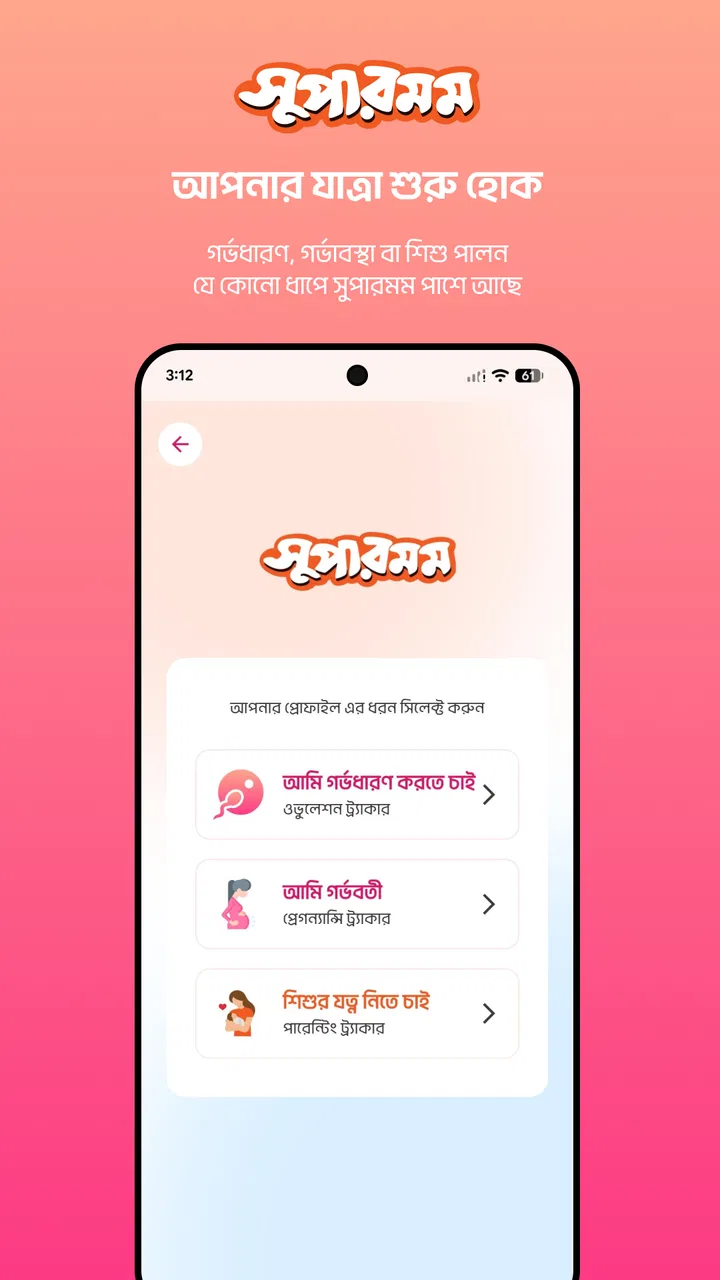
For a parenting app, trust is not just about friendly writing. It is also about whether I understand what I am doing when I open an account, enter personal details, or allow access to anything on my phone. Pregnancy and postnatal information can be sensitive, so I would pay close attention to the screens shown during setup and to any permission request before accepting it.
I would look for plain explanations of why an item is requested, whether it is optional, and whether the app remains useful without it. A good rule is to provide the minimum information needed for the task I actually want. If I only want general reading, I would avoid entering details that are not clearly necessary. If an account is offered, I would check whether I can later edit or remove my information and whether there are visible controls for notifications.
Those checks are not a criticism of Supermom specifically; they are sensible behavior for any health-adjacent app. The important point is that I would judge the app by the choices it visibly presents rather than assuming that a parenting label automatically means low risk. Trust should come from clear user controls, not from the subject matter alone.
I would also read the privacy and data-safety information shown in the relevant app-store and in-app screens before creating a profile. I would not infer that the app collects nothing, shares nothing, or stores everything locally unless those practices are explicitly explained. That cautious approach is particularly important when the app may be used during pregnancy, after childbirth, or while discussing a child’s routine.
Permissions and account choices deserve a deliberate check
When I install a new app, I normally review every permission request instead of tapping through setup. For Supermom, I would ask whether a requested permission directly supports a feature I intend to use. A parenting reference should not automatically receive broad access simply because it is convenient. If Android offers a choice to deny or limit access, I would use that option and then test whether the core reading experience still works.
The same applies to notifications. Reminders can be useful when they help me return to a planned routine, but they can become stressful when they arrive at the wrong time or create a feeling that I am falling behind. I would enable only the alerts that have a clear purpose and turn off anything that adds noise. If the app provides notification settings, I would review them after the first few days rather than leaving every option active by default.
Account control is another practical concern. Before investing time in building a profile, I would look for the route to sign out, change account details, request deletion, or stop using the service. Even when I do not need those options immediately, knowing where they are gives me more confidence. If the controls are difficult to find, that is useful information in itself: I would keep my profile minimal and avoid entering unnecessary personal details.
These steps also answer a common question: can I use a parenting app without handing over my entire personal history? In practice, the answer depends on the choices shown during setup and on which features require an account. My recommendation is simple: start with the least revealing setup available, then add information only when it produces a clear benefit that you understand.
Sensitive moments need more than a reassuring screen
The most delicate moments are not always medical emergencies. Sometimes they are ordinary moments when a parent is exhausted, anxious, or comparing their baby with other babies. Advice that sounds absolute can create unnecessary guilt, especially around feeding, sleep, development, recovery, or the pace at which a parent feels normal again.
I would therefore read Supermom’s guidance as general education and look for context rather than one-size-fits-all instructions. A useful article should help me understand what to ask, what to observe, and when to seek help. It should not encourage me to ignore a professional who knows my pregnancy, my medical history, or my baby directly.
One non-obvious way to use the app is as a preparation layer before a consultation. I can read a topic, mark down the parts that match my situation, and separate them from the parts that do not. Then I can ask a midwife, doctor, health visitor, or pediatric professional to interpret the information for me. This workflow is safer and more efficient than trying to use general guidance as a personal diagnosis.
Another useful habit is to avoid reading sensitive topics while half-awake in the middle of the night. I would save general questions for a calmer time, when I can compare the wording carefully and decide whether a concern is routine or needs attention. That may sound minor, but tired parents are more likely to misread a general warning or become overwhelmed by too many possibilities.
Postnatal wellness also deserves a balanced approach. New parents often focus entirely on the baby and treat their own recovery as optional. An app that includes the parent’s wellbeing can encourage better self-awareness, but I would not let an article turn recovery into a checklist or a personal test. Healing is affected by birth experience, sleep, support, feeding choices, and existing health conditions. A general resource can remind me to pay attention; it cannot assess the whole picture.
Where it compares well with familiar alternatives
The usual alternatives fall into several groups. Search engines offer enormous variety, but they also require more judgment and can send a tired parent toward alarming or contradictory material. Dedicated pregnancy trackers often provide a narrower, more structured experience, which is useful for someone who mainly wants stage-based tracking. Baby-log apps are usually better for recording feeds, sleep, nappies, or routines. Books and official health services may provide more carefully edited background information, though they are less convenient when a question appears unexpectedly.
Supermom’s position is between those options. It is more focused than a general web search and broader than a single-purpose tracker. Its appeal is strongest for someone who wants pregnancy, baby care, and postnatal wellness gathered under one parenting-oriented roof. I would choose it over a collection of random bookmarked pages when I want a calmer starting point, but I would choose a dedicated log if accurate day-to-day recording is my main goal.
The trade-off is that a broad guide may not deliver the depth or personalization of a specialist product. If I need detailed symptom tracking, professional monitoring, medication management, or records that I can reliably share with a clinician, I would look for a tool built specifically for that purpose. Supermom can sit beside such an app, but I would not expect it to cover every specialized workflow.
It is also worth remembering that the app is free. That removes a financial barrier and makes it easy to try, but free does not automatically mean frictionless or private. I would still review setup choices, permissions, notifications, and account controls. The absence of a purchase decision should not replace a privacy decision.
Small workflow improvements that make it more useful
I would keep a separate note on my phone for questions generated while reading. That prevents me from repeatedly reopening the same topic and gives me a simple record for appointments. I would include the date, the pregnancy stage or baby’s age, and what I actually observed. This turns general reading into a more useful conversation without asking the app to store every sensitive detail.
I would also use a “one topic, one action” rule. After reading about a subject, I would decide whether the next step is to do nothing, adjust a harmless routine, ask a professional, or seek urgent help. If the answer is unclear, that uncertainty is a reason to ask someone qualified rather than to keep scrolling. This is a better use of a broad parenting resource than collecting endless advice.
For shared parenting, I would discuss the guidance with the other caregiver instead of assuming that both people interpret it in the same way. One person might focus on the baby-care section while the other pays attention to postnatal wellness. Agreeing on which information is general and which questions need professional input can reduce arguments caused by isolated snippets of advice.
Finally, I would review the app after a week rather than deciding in the first five minutes. Does it help me answer ordinary questions? Are the notifications useful? Are the privacy choices understandable? Can I find the topics I need without feeling overloaded? These are more meaningful tests than simply counting how much content is available.
Who should try it and who should look elsewhere
I think Supermom is a sensible trial for expectant parents who want a broad, accessible guide, for new parents who need a starting point for baby-care questions, and for caregivers who want the parent’s wellbeing included in the same experience. Its free access and Everyone content rating make it easy to consider, while support for Android 8.0 and later covers many older devices.
I would be more cautious if I wanted a strongly clinical product, a detailed tracker, or a service with clearly defined professional oversight. I would also skip it as my main resource if I tend to become more anxious after reading general health information. In that case, a trusted healthcare provider or a carefully selected book may be a better first stop, with an app used only for a narrow practical task.
The developer, Appinion BD Limited, presents the product as a parenting app rather than as emergency care or a substitute for medical advice. That framing is appropriate, and I would keep the same boundary in daily use. The app can organize learning and encourage better questions, but responsibility for diagnosis and treatment remains with qualified professionals.
My cautious verdict
Supermom has a useful premise: support should continue from pregnancy into baby care and the parent’s own postnatal wellbeing. I like that broader life-stage focus more than a tool that becomes irrelevant immediately after birth. As a free app with a current version of 1.0.6, it is approachable for someone who wants to explore without committing money first.
My recommendation comes with a clear condition. I would use it as a calm reference and appointment-preparation tool, while keeping permissions, notifications, account details, and data choices under close review. I would not treat general guidance as a diagnosis, and I would move quickly to professional care whenever a situation feels urgent or unusually serious.
In short, Supermom is worth trying if you want one broad parenting companion and are willing to stay thoughtful about privacy and medical boundaries. It is not the best answer for every specialized tracking or clinical need, but it can be a practical starting point for everyday questions. The best experience will come from using it selectively: read with a purpose, record only what you need, question unclear advice, and keep your own judgment—and your healthcare team—at the center.
FAQs for Supermom
01What is Supermom, and what features does it offer?
Supermom is a comprehensive scheduling and task management app designed specifically for busy parents. It offers features such as a shared family calendar, chore management, meal planning, and reminders. Additionally, it includes a community feature where parents can connect and share advice. The app aims to streamline family activities and enhance productivity.
02Is Supermom available on both Android and iOS platforms?
Yes, Supermom is available for download on both Android and iOS devices. You can find it on the Google Play Store for Android users and the Apple App Store for iOS users. Ensure your device meets the app's minimum system requirements for a smooth experience.
03Is there a cost associated with using Supermom, or is it free?
Supermom is free to download and use with basic features. However, it offers a premium subscription that unlocks additional features such as advanced analytics, ad-free usage, and priority customer support. Users can choose between monthly or annual subscription plans according to their needs.
04How secure is the data shared within the Supermom app?
Supermom prioritizes user privacy and data security by implementing robust encryption protocols. All personal data, such as family schedules and shared photos, are stored securely. The app complies with relevant privacy regulations and provides users with control over their data, allowing them to manage sharing permissions effectively.
05Can multiple family members use Supermom simultaneously?
Yes, Supermom supports multiple users, allowing each family member to have their own profile. This feature enables seamless coordination as each member can view the shared calendar, update tasks, and receive notifications. It's designed to improve communication and cooperation within the family unit.
Pros
- User-friendly interface for easy navigation.
- Comprehensive task management features.
- Customizable reminders for daily tasks.
- In-app community for support and tips.
- Integration with calendar apps.
Cons
- Limited free version features.
- Some features require a subscription.
- Occasional app crashes reported.
- High battery usage on older devices.
- No offline mode available.

Supermom
Gallery